

The Penn Commuter Benefit Program provides discounted regional transit for full-time benefits-eligible faculty, staff, and postdoctoral researchers and fellows who use public transportation for their commute to campus.
As of July 2026, Penn is transitioning its commuter debit card from HealthEquity to Jawnt. Learn more about discounted transit passes and the Jawnt Pass debit card below.
The deadline to enroll or make changes in Jawnt is the 19th of the month. Once enrolled, your benefit will be active starting the next month.
1. Sign in at jawntpass.com/signin/penn
2. You will be brought to the Penn portal to log in to Jawnt with your PennKey and password
3. In your Jawnt account, under Available benefits, choose the benefit you want to enroll in and click Enroll
4. Complete the steps to enroll
That's it! If you opted for Jawnt Pass, you'll get an email from Jawnt when your card is loaded and ready to use.
Choose between a discounted monthly pass based on your transit agency, or enroll in the new Jawnt Pass commuter debit card. Expand each option to learn more about each benefit.

You have the option to receive a 50% subsidy for monthly SEPTA passes, up to $130/month.
1. In your Jawnt account, locate the SEPTA Monthly Passes benefit and click Enroll.
2. Choose which monthly pass you’d like to enroll in. Note: Read through the description of each pass to determine which one is right for you.
3. Enter your Card Reference ID. If you need help finding your Card Reference ID, click the Read article button.
4. Read and accept the terms and conditions.
That’s it! Look out for an email from us once the pass is loaded to your card, effective the 1st of the month.
Purchase and load your FREEDOM Card using pre-tax funds to save up to 30% on commuting costs.
1. In your Jawnt account, locate the PATCO FREEDOM Card benefit and click Enroll.
2. Choose the amount you’d like added to your FREEDOM Card. Note: You can change your contribution amount each month, if needed.
3. Enter your 20-digit PATCO Card Number.
That’s it! Look out for an email from us once the funds are loaded to your card. Learn more about PATCO FREEDOM cards in our Help Center.
You have the option to purchase either NJ Transit monthly rail or bus passes.
To purchase a monthly rail pass:
1. In your Jawnt account, locate the NJ Transit - Train Passes benefit and click Enroll.
2. Enter your Origin and Destination stations.
3. After completing enrollment, look out for an email from NJ Transit inviting you to create a new MyTix Mobile Ticketing Account, if you do not already have one.
4. NJ Transit will email you again on the first of the month when your pass is active and ready to use!
To purchase a monthly bus pass:
1. In your Jawnt account, locate the NJ Transit - Bus Passes benefit and click Enroll.
2. Choose the Region and Number of Zones needed.
3. After completing enrollment, look out for an email from NJ Transit inviting you to create a new MyTix Mobile Ticketing Account, if you do not already have one.
4. NJ Transit will email you again on the first of the month when your pass is active and ready to use!
You have the option to purchase either Amtrak 10 Ride or Monthly passes.
To purchase a 10 Ride Pass:
1. In your Jawnt account, locate the Amtrak 10 Ride Passes benefit and click Enroll.
2. Enter your Origin and Destination stations and complete the enrollment steps.
3. Look out for an email from Jawnt with your Amtrak Reservation Number. Note: This Reservation Number allows you to book up to two rides per day for the entire month, but you still need to reserve seats for specific trains through Amtrak's RideReserve system.
4. Follow the steps outlined in the email to book your Amtrak rides for the duration of the month.
To purchase a Monthly Pass:
1. In your Jawnt account, locate the Amtrak Monthly Passes benefit and click Enroll.
2. Enter your Origin and Destination stations and complete the enrollment steps.
3. Look out for an email from Jawnt with your Amtrak Reservation Number. Note: This Reservation Number allows you to book up to two rides per day for the entire month, but you still need to reserve seats for specific trains through Amtrak's RideReserve system.
4. Follow the steps outlined in the email to book your Amtrak rides for the duration of the month.
The Jawnt Pass is a commuter debit card that can be used to pay for eligible transit and/or parking expenses. It's a great option if you use different modes of transportation to get to and from work, and want to save money while doing it!
The Penn Commuter Benefit Program offers Philadelphia-based employees a 5% discount on public transit purchases made with the Jawnt Pass debit card. For example, if you set aside $100 per month in pre-tax transit funds, 95% will be deducted from your paycheck, and Penn will contribute $5 each month.
To get started:
1. In your Jawnt account, locate the Jawnt Pass benefit and click Enroll.
2. Choose how much you’d like to contribute each month to transit and/or parking.
3. Enter and submit your contact information.
That’s it! Look out for your Jawnt Pass in the mail and an email from us once the funds are loaded to your card. Learn more about Jawnt Pass in our Help Center.
Here are answers to some common questions you may have about your commuter benefit.
The Commuter Benefits Program is available as a pre-tax benefit to all full-time faculty, staff, and post doc research fellows who earn wages from the University of Pennsylvania. Participation in the Commuter Benefits program precludes concurrent participation in certain other commuter offerings. For example, a University employee would not be eligible to participate in the Commuter Benefits program while also enrolled in the Bike Commuter Expense Reimbursement Program or while holding a Penn Full-Time or Part-Time Parking Permit.
The Commuter Benefit Program allows a 50% subsidy for monthly transit passes, up to $130/month, for products such as SEPTA monthly passes and Amtrak passes. Separately, the program offers a commuter debit card, the Jawnt Pass, with a 5% discount offered to Philadelphia-based employees for transit purchases. All registration occurs via the Commuter Benefits portal and are non-transferable. All products should be used exclusively by the registered University employee for their regular commute to a University worksite.
The University may terminate an employee’s commuter benefit at any time. Other policies may apply.
New: The Jawnt Pass debit card gives you more flexibility in how you pay for your commute. You can use it for a monthly pass, single rides (Tap-to-Pay), parking at transit stations, or parking near campus. If you have a hybrid schedule and don't need a full monthly pass, the card lets you apply your benefit only on the days you travel, saving you money and giving you more flexibility.
The Penn Commuter Benefit Program offers Philadelphia-based employees a 5% discount on public transit purchases made with the Jawnt Pass debit card. For example, if you set aside $100 per month in pre-tax transit funds, 95% will be deducted from your paycheck, and Penn will contribute $5 each month.
Effective July 1, 2026, Jawnt will be Penn's new commuter benefits provider, and your commuter benefits through HealthEquity will be discontinued. Important note: non-commuter benefits accounts remain unchanged. Only commuter benefits (transit/parking) are transitioning to Jawnt.
If you previously received commuter benefits through HealthEquity, you’ll need to complete a one-time process to re-enroll in Jawnt. See the "Getting Started" section above for steps on how to quickly and easily enroll in Jawnt.
If you are enrolled in commuter benefits through HealthEquity, any unused funds will be rolled over to your Jawnt Pass debit card. Here's what you need to know about transitioning your HealthEquity funds to the Jawnt Pass debit card:
Once enrolled in Jawnt, you’ll have access to a physical and virtual debit card, and can submit a reimbursement request for eligible commuting expenses through your Jawnt account.
The amount you contribute to your Jawnt Pass debit card will be deducted from your paycheck, pre-tax. Payroll deduction is taken once monthly, typically in the last paycheck before the effective benefit month.
You can enroll or make changes to your commuter benefits at any time. However, it takes some time to process these updates. To ensure funds get loaded correctly at the beginning of the next month, you'll need to enroll or make any changes by the 19th of the month.
If you miss the enrollment deadline, you'll still be enrolled, but funds won't be loaded on your card until the start of the following month.
Jawnt Pass is an IRS-regulated pre-tax benefit, and per IRS guidelines, unused funds are handled differently depending on your enrollment status.
Unused commuter benefit funds roll over month to month, but are not refundable. That means once the money is in your Jawnt Pass account, it'll stay there until you use it.
If you choose to unenroll from Jawnt Pass but remain eligible for commuter benefits through your employer, you'll continue to have access to your Jawnt Pass and any unused funds in your account. You will not accumulate any additional funds while you are unenrolled.
If you separate from your employer or become ineligible for commuter benefits, your Jawnt Pass will be frozen and can no longer be used to make purchases.
Additional information can be found in our support article here.
Unlike health benefits, commuter benefit elections can be changed monthly. You can change your benefit elections any time in to your Jawnt account.
To enroll in a new benefit, go to My passes in your Jawnt account, locate the benefit you want to enroll in, and click Enroll. Follow the steps to enroll, and that's it!
To make changes to an existing benefit, go to My passes in your Jawnt account, locate the benefit you want to edit, and click Edit. Be sure to click Update enrollment after making your changes.
To unenroll in a benefit, go to My passes in your Jawnt account, locate the benefit you want to unenroll from, and click Edit. Scroll to the bottom and select Unenroll.
Yes! If you won't be commuting for a while, you can update your Jawnt Pass contributions to $0, so funds won't be added to your Jawnt Pass when you don't need them.
To pause your contributions:
Updates made before the 19th of the month will go into effect at the beginning of the next month. So if you want to pause your benefit starting in August, be sure to complete these steps by July 19th.
To re-enroll, log back in to your Jawnt account and update your contribution amounts to reflect your commuting costs. For example, if you're going to start commuting again in August, you'd update your contribution amounts in Jawnt by July 19th. You can keep using your existing Jawnt Pass debit card, and the appropriate amount will automatically be deducted from your paycheck.
We're able to transfer pre-tax funds between your transit and parking balances (and vice versa). For example, if you've started taking transit to work more often and have accumulated excess funds in your parking balance, you can transfer those pre-tax parking funds to your transit balance in Jawnt. Simply reach out to us at support@jawntpass.com, and we'd be happy to help.
Please note that when requesting a transfer from transit to parking, you'll only be able to transfer the 95% employee contribution portion of your transit funds. This is because Penn applies up to a 5% subsidy to transit contributions, while parking benefits are not subsidized.Learn how to move funds between pre-tax transit and parking accounts in Jawnt.
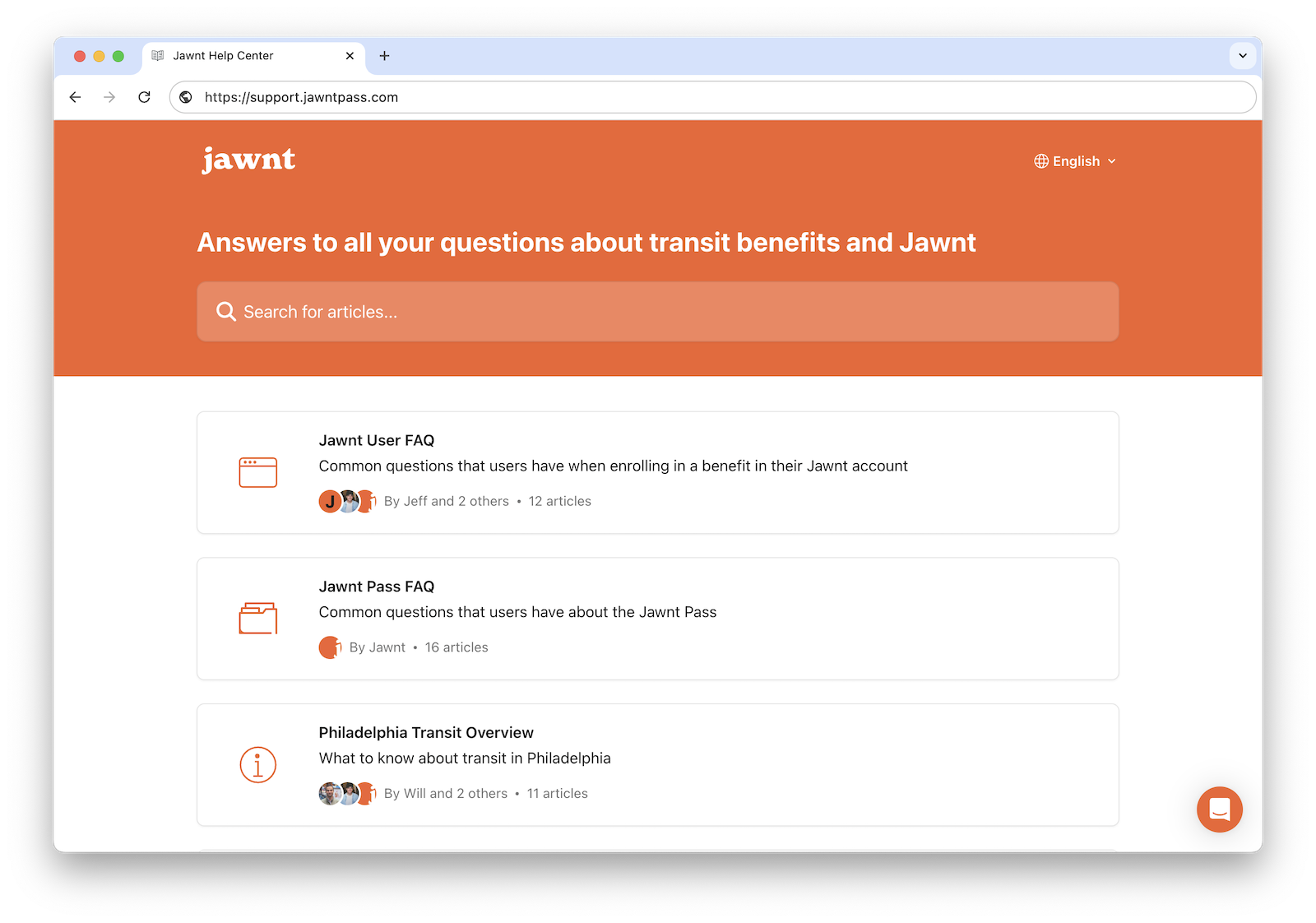
For general questions on how Jawnt Pass works, how to get set up, and how to manage your contributions, visit the Jawnt Help Center or get in touch at support@jawntpass.com / 888-513-5935.
Happy riding!
Some of these articles may not be applicable to the University of Pennsylvania’s program. When in doubt, check this page or get in touch!



.jpeg)

